
I bought this product myself and this review is based on my own experience.
Our family life is busy enough that a normal paper calendar just stopped working for us.
With two children, school activities, parties, play dates, work commitments and holiday-let bookings all competing for space, some days can have around ten different things happening.
We used to have a traditional family calendar, but the problem was that we often forgot to write things on it. Even when we did, there never seemed to be enough columns or enough space.
I also work away from home three days a week, so if something came up while I was away, I either had to remember to add it later or rely on someone at home to update the calendar.
That was what made me start looking for a digital alternative.
I ended up buying the Dragon Touch 21.5-inch Digital Calendar Family Planner.
It has completely changed the way we organise family life.
Why I chose the large 21.5-inch version
One of the main reasons I chose the larger screen was visibility.
Some of our days are genuinely very busy, so I wanted something big enough that we could see what was happening without everything looking cramped.
The 21.5-inch screen works really well for us.
We have it mounted on the wall, so everyone can see it easily as they walk past.
For our household, I’m glad we went for the larger size.
Everyone has their own colour
This is probably one of the features I appreciate most.
Each family member has their own colour, and we also use separate colours for our holiday lets.
That means I can glance at the screen and immediately see who has something happening without having to read every single entry.
It sounds simple, but when there are lots of things going on, the colour coding makes a huge difference.
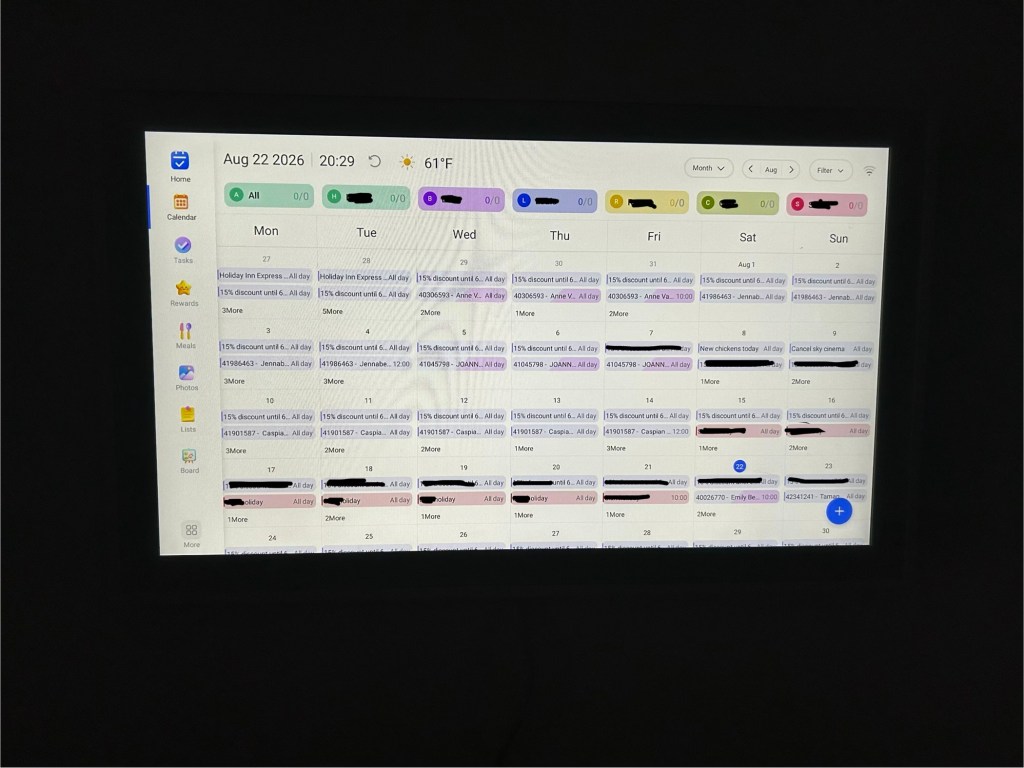
This is why the large screen works for us — everyone has their own colour, alongside our holiday lets, so we can see a whole month at a glance.
I can add things wherever I am
For me, this is the biggest improvement over our old paper calendar.
The calendar has an app, so I can add something from my phone whenever it comes up.
If I’m away with work and remember a school event, appointment or something we need to do, I can add it straight away.
I don’t have to wait until I get home.
I don’t have to message someone else and ask them to write it on the calendar.
And I’m much less likely to forget something in the meantime.
That one change has made our shared calendar far more reliable.
It works for more than just family events
We don’t only use it for ourselves.
We also use it to keep track of the holiday lets, which means the same screen can show family commitments and property-related information together.
For us, that works much better than having separate calendars in different places.
Everything is visible in one shared system.
The photo slideshow is a surprisingly nice feature
When we aren’t actively looking at the calendar, it can turn into a digital photo frame.
I didn’t buy it for that feature, but I really like it.
Rather than having a large blank screen on the wall, it shows our photos instead.
It makes the calendar feel more like something that belongs in the room rather than just another piece of technology.
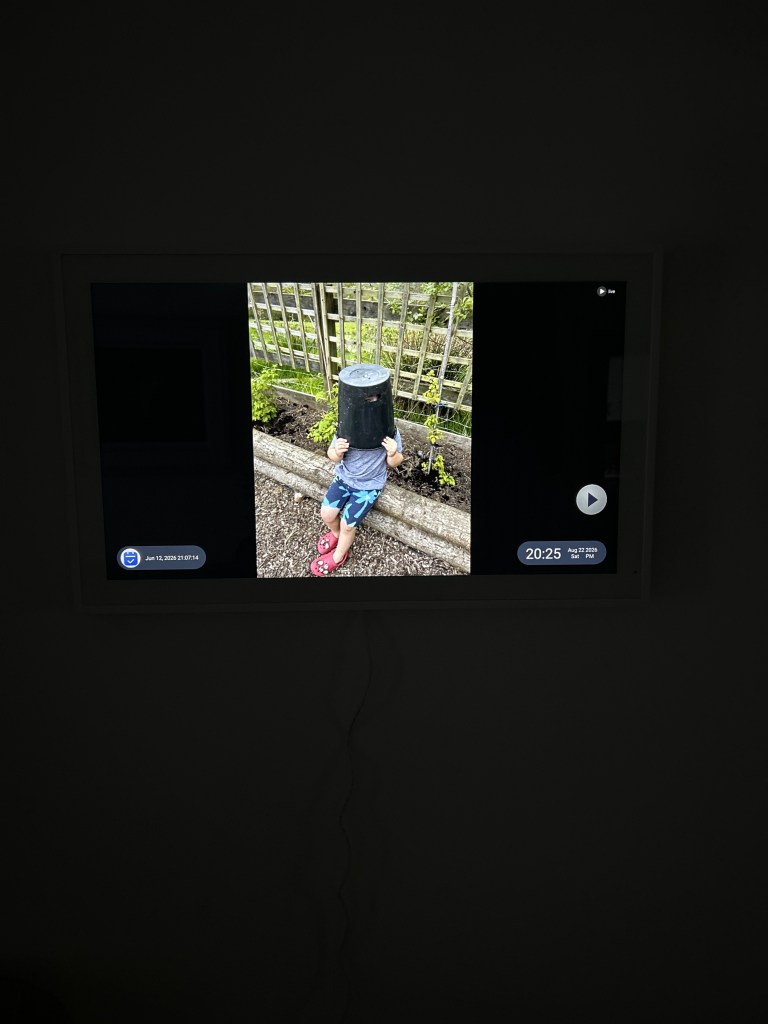
When we’re not using the calendar, it turns into a digital photo frame — so it still feels like part of the room rather than just another screen on the wall.
What I like most
The biggest benefit is that everyone is working from the same calendar.
There’s no separate paper version that hasn’t been updated.
There’s no trying to remember whether something was written down.
And because I can add things from my phone when I’m away, I don’t feel disconnected from what is happening at home.
The large screen also means it genuinely works as a wall planner rather than feeling like a tablet mounted on the wall.
Is there anything I don’t like?
For the way we use it, I haven’t found a major drawback.
The main thing I would say is that the larger screen is probably more than some households need.
If your diary is fairly simple, a smaller version may be enough.
For us, though, the size is one of the reasons it works so well.
Who I think it would suit
I think this would be particularly useful for:
- busy families
- households with several children
- people who work away from home
- couples managing different schedules
- families with lots of school activities and appointments
- anyone managing holiday lets or other shared commitments
- households that keep forgetting to update a paper calendar
If your problem is not remembering what is happening, but remembering to actually write it down, being able to update the calendar from your phone makes a big difference.
This post contains Amazon affiliate links. If you buy through one of these links, I may earn commission at no extra cost to you
Check the current price on Amazon
Busy Life Edit Quick Verdict
Best for: Busy families and households managing lots of different schedules
Biggest plus: Everyone can add things from their phone and see the same calendar
Favourite feature: Colour coding for each family member and the holiday lets
Unexpected bonus: It doubles as a digital photo frame
Would I buy it again? Yes
My verdict
We bought the Dragon Touch because our old family calendar simply wasn’t keeping up with our lives.
The biggest difference is not that it is digital.
It is that we actually keep it updated.
If something comes up, it can go straight onto the calendar wherever we are.
Everyone can see the same information, the colour coding makes busy days easier to understand, and the large screen means the whole family can see what is happening without having to open an app.
For a household with lots of moving parts, it has made day-to-day organisation much easier.
Would I buy it again? Absolutely.

